Source: Oai Solution · GitHub · microsoft/generative-ai-for-beginners Authors: Microsoft (microsoft) Licence: MIT — https://spdx.org/licenses/MIT.html
In order to run the following notebooks, if you haven't done yet, you need to set the openai key inside .env file as OPENAI_API_KEY
import os
import pandas as pd
import numpy as np
from openai import OpenAI
from dotenv import load_dotenv

load_dotenv()

API_KEY = os.getenv("OPENAI_API_KEY","")
assert API_KEY, "ERROR: OpenAI Key is missing"

client = OpenAI(
    api_key=API_KEY
    )

model = 'text-embedding-ada-002'

SIMILARITIES_RESULTS_THRESHOLD = 0.75
DATASET_NAME = "../embedding_index_3m.json"
Next, we are going to load the Embedding Index into a Pandas Dataframe. The Embedding Index is stored in a JSON file called embedding_index_3m.json. The Embedding Index contains the Embeddings for each of the YouTube transcripts up until late Oct 2023.
def load_dataset(source: str) -> pd.core.frame.DataFrame:
    # Load the video session index
    pd_vectors = pd.read_json(source)
    return pd_vectors.drop(columns=["text"], errors="ignore").fillna("")
Next, we are going to create a function called get_videos that will search the Embedding Index for the query. The function will return the top 5 videos that are most similar to the query. The function works as follows:
- First, a copy of the Embedding Index is created.
- Next, the Embedding for the query is calculated using the OpenAI Embedding API.
- Then a new column is created in the Embedding Index called
similarity. Thesimilaritycolumn contains the cosine similarity between the query Embedding and the Embedding for each video segment. - Next, the Embedding Index is filtered by the
similaritycolumn. The Embedding Index is filtered to only include videos that have a cosine similarity greater than or equal to 0.75. - Finally, the Embedding Index is sorted by the
similaritycolumn and the top 5 videos are returned.
def cosine_similarity(a, b):
    return np.dot(a, b) / (np.linalg.norm(a) * np.linalg.norm(b))

def get_videos(
    query: str, dataset: pd.core.frame.DataFrame, rows: int
) -> pd.core.frame.DataFrame:
    # create a copy of the dataset
    video_vectors = dataset.copy()

    # get the embeddings for the query
    query_embeddings = client.embeddings.create(input=query, model=model).data[0].embedding

    # create a new column with the calculated similarity for each row
    video_vectors["similarity"] = video_vectors["ada_v2"].apply(
        lambda x: cosine_similarity(np.array(query_embeddings), np.array(x))
    )

    # filter the videos by similarity
    mask = video_vectors["similarity"] >= SIMILARITIES_RESULTS_THRESHOLD
    video_vectors = video_vectors[mask].copy()

    # sort the videos by similarity
    video_vectors = video_vectors.sort_values(by="similarity", ascending=False).head(
        rows
    )

    # return the top rows
    return video_vectors.head(rows)
This function is very simple, it just prints out the results of the search query.
def display_results(videos: pd.core.frame.DataFrame, query: str):
    def _gen_yt_url(video_id: str, seconds: int) -> str:
        """convert time in format 00:00:00 to seconds"""
        return f"https://youtu.be/{video_id}?t={seconds}"

    print(f"\nVideos similar to '{query}':")
    for _, row in videos.iterrows():
        youtube_url = _gen_yt_url(row["videoId"], row["seconds"])
        print(f" - {row['title']}")
        print(f"   Summary: {' '.join(row['summary'].split()[:15])}...")
        print(f"   YouTube: {youtube_url}")
        print(f"   Similarity: {row['similarity']}")
        print(f"   Speakers: {row['speaker']}")
- First, the Embedding Index is loaded into a Pandas Dataframe.
- Next, the user is prompted to enter a query.
- Then the
get_videosfunction is called to search the Embedding Index for the query. - Finally, the
display_resultsfunction is called to display the results to the user. - The user is then prompted to enter another query. This process continues until the user enters
exit.
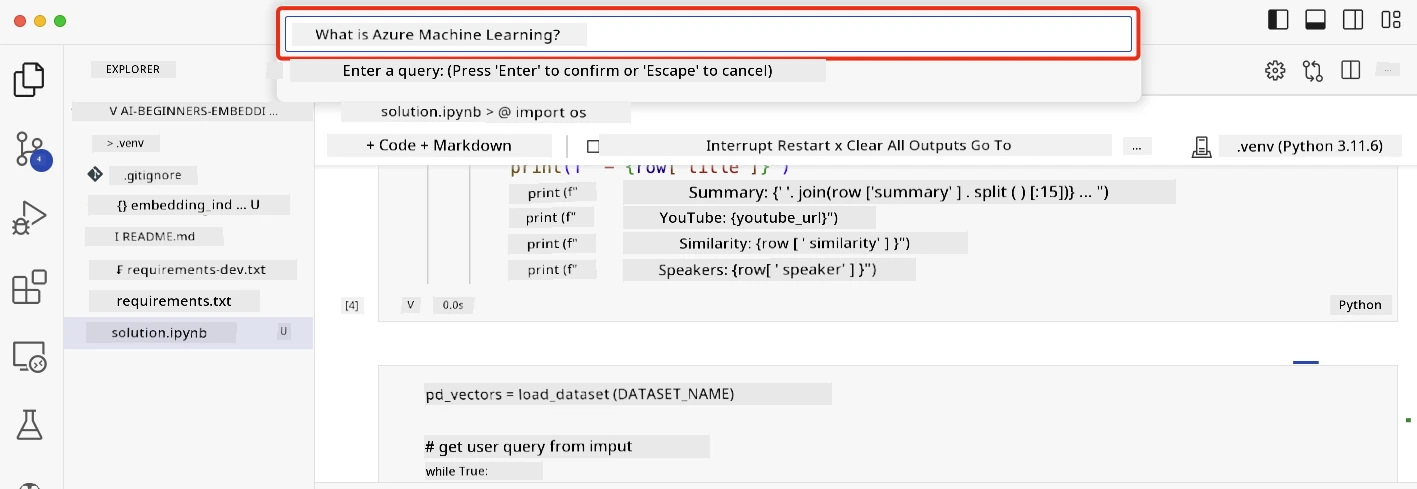
You will be prompted to enter a query. Enter a query and press enter. The application will return a list of videos that are relevant to the query. The application will also return a link to the place in the video where the answer to the question is located.
Here are some queries to try out:
- What is Azure Machine Learning?
- How do convolutional neural networks work?
- What is a neural network?
- Can I use Jupyter Notebooks with Azure Machine Learning?
- What is ONNX?
pd_vectors = load_dataset(DATASET_NAME)

# get user query from input
while True:
    query = input("Enter a query: ")
    if query == "exit":
        break
    videos = get_videos(query, pd_vectors, 5)
    display_results(videos, query)
Disclaimer: This document has been translated using the AI translation service Co-op Translator. While we strive for accuracy, please be aware that automated translations may contain errors or inaccuracies. The original document in its native language should be considered the authoritative source. For critical information, professional human translation is recommended. We are not liable for any misunderstandings or misinterpretations arising from the use of this translation.